
AOL Mail relies on a stable protocol stack, but switching to app password authentication changes the game for anyone connecting a third-party client. Properly setting up AOL Mail in English requires mastering this mechanism before even touching the server fields.
AOL App Password: The Prerequisite That Consumer Guides Overlook
As soon as two-step verification is enabled on an AOL account, the main account password is rejected by Outlook, Thunderbird, or Apple Mail. The server returns an authentication error without an explicit message, leading many users to modify their IMAP settings when the issue lies upstream.
The solution involves generating a dedicated app password from the security settings of the AOL account. This password, distinct from the usual password, is only used for the configured email client. Ideally, each device or software requires its own app password to revoke access without affecting others.
We recommend enabling two-step verification even if it is not yet in place on the account. It enhances security, and once the app password is generated, the IMAP/SMTP connection process works without additional friction. To use AOL Mail in English on a third-party client, this is the first step to validate.

AOL Mail Server Settings: IMAP and SMTP in 2026
Configuration values remain stable and documented. We summarize them here with the expected ports and encryption protocols for current email clients.
| Parameter | Value |
|---|---|
| Incoming Server (IMAP) | imap.aol.com – port 993 – SSL/TLS |
| Outgoing Server (SMTP) | smtp.aol.com – port 465 – SSL/TLS |
| Alternative SMTP Port | 587 (STARTTLS) |
| Username | Full AOL address |
| Authentication | App password (if two-step verification is active) |
Port 465 with SSL/TLS is the default choice for sending. Port 587 with STARTTLS works, but some mobile clients poorly handle STARTTLS negotiation and silently switch to clear text. On a public Wi-Fi network, this behavior exposes credentials.
Why IMAP Instead of POP for AOL
POP3 downloads messages and, depending on the configuration, deletes them from the server. On AOL Mail, this creates an immediate discrepancy between webmail and the local client. A message read on the phone remains marked as unread in the browser, and deletions do not propagate.
IMAP synchronizes the state of messages across all devices. Folders, read/unread markings, and deletions are reflected everywhere. For multi-device usage (which corresponds to almost all cases today), POP has no technical justification on AOL.
Switching the AOL Mail Interface to English
The web interface of AOL Mail detects the browser language upon first load. If your browser is set to English or another language, the webmail displays in that language by default. The setting can be changed in the language preferences of the AOL account, accessible from the profile settings.
On a third-party email client like Thunderbird or Outlook, the interface language depends on the software itself, not AOL. The headers of messages (subject, sender, date) display according to the original encoding. The switch to English only affects the navigation interface, not the content of received messages.
Mobile Webmail: An Underestimated Alternative
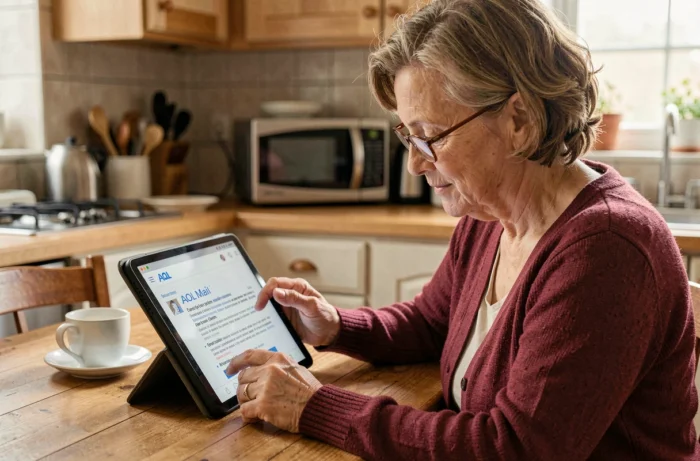
AOL webmail remains fully functional from a mobile browser. This option avoids any IMAP/SMTP configuration and the need for an app password. For occasional use or a shared device, accessing mail.aol.com from Safari or Chrome offers all features without installing an app.
The responsive mobile interface provides access to the inbox, folders, composing, and managing contacts. The language again follows that of the browser.
Resolving IMAP Connection Errors on AOL Mail
The most common connection errors on AOL Mail do not stem from server settings (which have not changed for several years) but from three recurring causes:
- The account password is used instead of the app password, triggering a silent authentication rejection on some clients.
- The encryption type is incorrectly selected: choosing “None” or “STARTTLS” on port 993 causes an immediate failure, as AOL’s IMAP server expects native SSL/TLS on this port.
- The address entered in the username field is incomplete. AOL requires the full address with the domain (@aol.com), not just the username.
If the client displays “unable to verify the certificate,” this usually indicates a network proxy or antivirus intercepting the TLS connection. Temporarily disabling HTTPS scanning in the antivirus can confirm this hypothesis.
Quickly Testing the Configuration
After entering the settings, send a message to your own AOL address. If the message appears in the client’s inbox and in webmail simultaneously, the IMAP synchronization is working correctly. Then check that a message deleted from the client also disappears from webmail: this is the most reliable IMAP consistency test.
Configuring AOL Mail in English on a third-party client boils down to three technical points: generating an app password, filling in the IMAP/SMTP servers with the correct encrypted ports, and verifying bidirectional synchronization. Mobile webmail remains a valid option for those who prefer to avoid this configuration.