
The site map of an online pharmacy is an HTML page listing all the sections and links available on the site. It is not the XML sitemap intended for search engines, but a page designed for visitors. Understanding the difference saves time when browsing and provides direct access to the information you need, whether you’re looking for health products, contact details or legal notices.
HTML site map and XML sitemap: two distinct tools on an online pharmacy
It’s easy to confuse the two. The XML sitemap is a technical file, usually available at /sitemap.xml, that Google or Bing bots crawl to index pages. It is not intended for people to read.
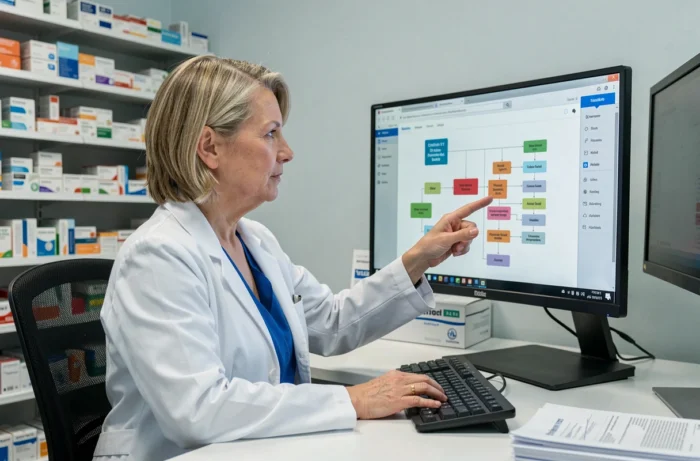
The HTML site map, on the other hand, is a page you can view in your browser. It presents a clear hierarchy of sections: product categories, health information pages, terms and conditions, privacy policy and pharmacy contact details. On an online pharmacy site, this page also brings together links to regulatory information, such as the notice of authorization to sell issued by the ARS.
When an online pharmacy site has dozens of categories (parapharmacy, homeopathy, medical devices, dietary supplements), the site map provides an overview that dropdown menus don’t always offer. For example, browsing the Pharmaz En Conseil site map lets you see all the sections at a glance without having to navigate from page to page.

Where to find the link to an online pharmacy’s site map
On most online pharmacy sites, the link to the site map is in the footer. This web convention dates back to the early days of online shopping and remains the norm.
The footer usually groups together several categories of links:
- Legal pages (legal notices, terms and conditions, cookie policy, privacy policy)
- Contact pages and details for the physical pharmacy
- A link to the site map, sometimes labelled “Sitemap” or “Site map”
- Links to the pharmacy’s social media accounts, if available
If the link isn’t in the footer, a quick search on the site (using its internal search bar) for “site map” will usually bring up the page. Some online pharmacies also include this link in their main menu under a section such as “Information” or “About us”.
Use the site map to check whether an online pharmacy is legitimate
Browsing a site map isn’t just useful for finding a product. It can also help you locate pages that demonstrate the site’s credibility. The French National Order of Pharmacists maintains a public list of sites authorized to sell medicines online, searchable by site name, pharmacy or town.
A well-structured site map makes verification information easy to find in seconds:
- The page showing the name and address of the physical pharmacy associated with the site
- The page containing the licence number or ARS authorization
- A clickable link to the common European logo, which redirects to the official list maintained by the Ministry of Health
A legitimate online pharmacy always displays these details in an accessible way. If the site map has no section relating to the physical pharmacy or its authorizations, that’s a warning sign.
The common European logo as a visual indicator
This logo, displayed on every page of an authorized site, should be clickable and link to the Ministry’s database. From the site map, look for the “Legal notices” or “About us” page to quickly check this. It takes less than a minute and helps distinguish an authorized site from a fraudulent one.
Accessibility and keyboard navigation on the site map
Since June 2025, European accessibility requirements have applied to online commerce aimed at consumers, subject to an exemption for microenterprises. Keyboard navigation and page structure are among the aspects covered.
A well-designed site map uses ordered or unordered HTML lists with descriptive links. This structure allows screen readers (used by people with visual impairments) to navigate the hierarchy logically. For users navigating by keyboard, the Tab key moves from one link to the next on the site map, which is often faster than working through complex dropdown menus.
The site map provides an alternative way to navigate for people who can’t use a mouse or have difficulty with interactive menus. It is not a substitute for accessibility standards, but it is a useful complement.
When the site map makes up for a faulty menu
On some pharmacy sites, product categories are arranged in multi-level menus that close at the slightest mouse movement. The site map avoids this problem by displaying all the links on a single static page. To find a specific category (for example, dermocosmetic products or Class I medical devices), simply press Ctrl+F in your browser while on the site map page to get an immediate result.
Use the site map as a shortcut for finding products
Internal search bars on pharmacy sites can be unreliable. Some handle typos poorly, while others don’t offer category filters. The site map provides a structured alternative.
Open the site map and use your browser’s search function (Ctrl+F on a computer, “Find on page” on mobile) to locate a section by entering a keyword. This works particularly well when you’re looking for a product category rather than a specific product: “homeopathy”, “orthopedics”, “oral hygiene”.
The site map is no substitute for a good internal search engine, but it remains a reliable fallback when a standard search doesn’t return relevant results. On sites with catalogues of several hundred products, this page becomes a useful subject index.